







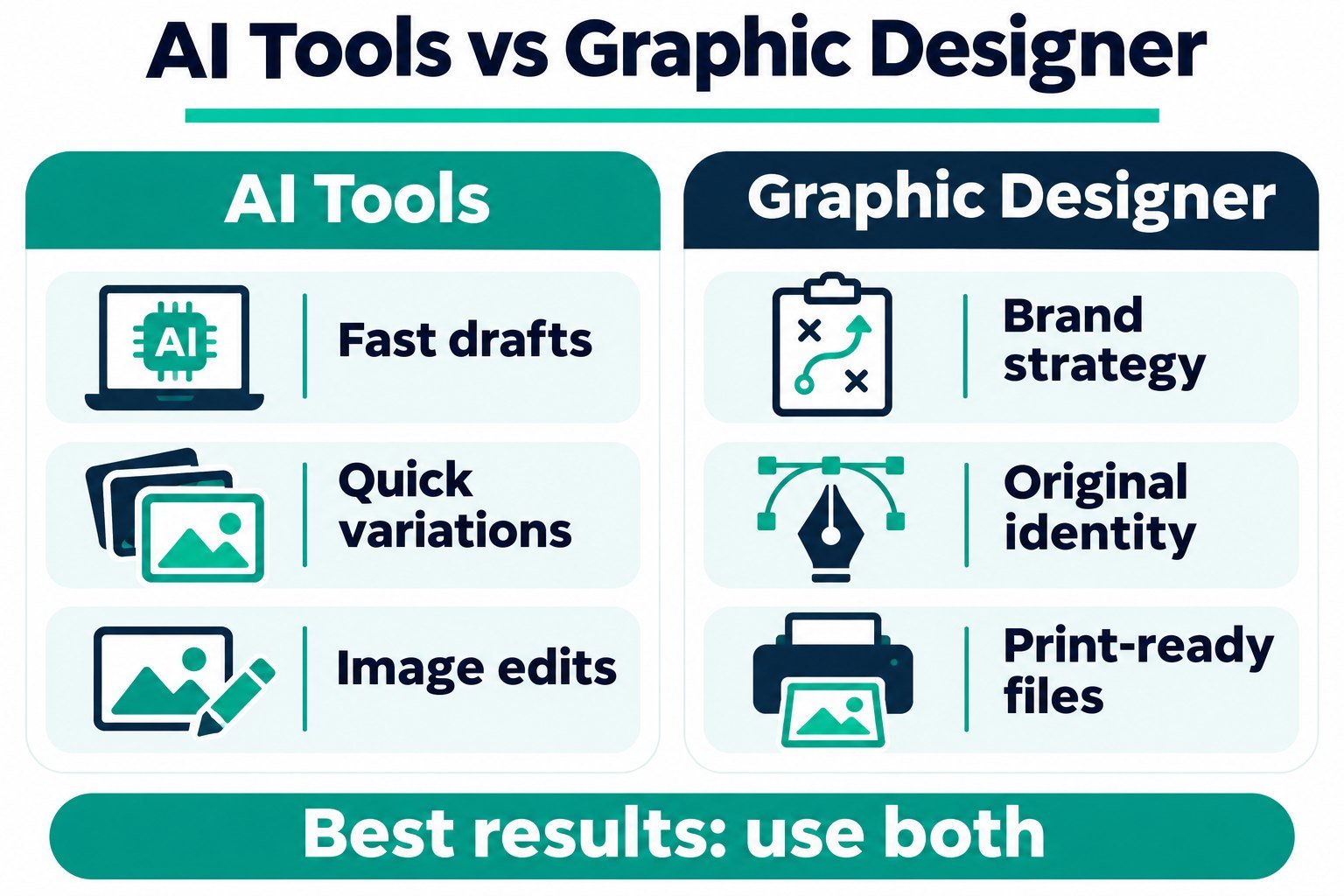
Short answer: AI design tools are excellent for fast ideas, variations, mockups and routine edits, but they do not replace a graphic designer for brand strategy, original identity work, consistent multi-channel systems, accurate text and print-ready production. For most small businesses the best approach is hybrid: use AI to speed up drafts and let a designer set direction, refine the output and make sure everything is on brand and usable.
Key takeaways
- AI is strongest at speed: concepts, variations, backgrounds and quick social graphics.
- Designers are strongest at strategy, originality, consistency and production quality.
- AI images can contain errors in text, hands, logos and fine detail.
- Copyright protection for purely AI-generated work is limited; human creative input matters.
- A hybrid workflow gives speed and quality together.
Why this question matters now
Image generators and AI features inside design apps can produce a polished-looking graphic in seconds. Business owners reasonably ask whether they still need a designer. The honest answer depends on what you are making and how important it is to your brand.
What AI design tools do well
- Brainstorming: many visual directions quickly, useful for mood boards.
- Variations: resizing and adapting a design for different formats.
- Image editing: background removal, extending images, retouching.
- Simple social content: quick visuals for low-stakes posts.
- Mockups: showing a design on products, screens or signage.
Where a graphic designer still wins
- Brand strategy: understanding your audience, competitors and positioning before designing.
- Original identity: a distinctive logo and visual system that is truly yours.
- Consistency: applying one system across website, print, presentations and social media. See brand consistency.
- Accuracy: correct spelling, product details, legal text and data.
- Production: vector files, print bleeds, color modes and accessible web graphics.
- Judgment: knowing what will persuade your specific customers.
AI vs graphic designer at a glance
| Task | AI tools | Graphic designer |
|---|---|---|
| Logo and brand identity | Ideas only | Recommended |
| Social media variations | Good with templates | Creates the templates |
| Brochures and catalogs | Weak on layout and print | Recommended |
| Pitch decks | Drafts and structure | Story, data visuals, polish |
| Product and blog images | Useful with careful review | Direction and quality control |
Copyright and ownership
The U.S. Copyright Office has published guidance and reports on AI and copyright, including whether AI-generated output can be protected. In short, protection depends on meaningful human authorship, so a logo produced entirely by an AI tool may be hard to protect. For core brand assets, human-led design is the safer choice. Always check the terms of any AI tool you use.
The hybrid workflow we recommend
- A designer defines the brand system: logo, colors, fonts and templates.
- AI tools speed up concepts, image editing and format variations.
- The designer reviews everything for accuracy, brand fit and quality.
- Final files are produced in the right formats for web and print.
This is how we work at iTech Graphics, and it is the same thinking behind our AI business automation services: AI handles repetitive work, people make the decisions that matter.
How iTech Graphics helps
Explore our graphic design services, pitch deck design and brochure and catalog design. Not sure whether you need a designer for your project? Read the benefits of hiring a graphic designer, then send us a message.
Which AI design tools do small businesses use?
AI features now appear in most design software rather than only in standalone image generators. Common categories include text-to-image generators, AI features inside design apps that remove backgrounds or extend images, layout assistants that suggest templates, and presentation tools that draft slides from an outline. The specific tools change quickly, so focus on what each category is good for rather than on brand names.
| Tool category | Good for | Watch out for |
|---|---|---|
| Image generators | Concepts, backgrounds, illustrations | Misspelled text, odd details, licensing terms |
| AI editing features | Background removal, retouching, resizing | Edges and fine details need checking |
| Template assistants | Quick social posts and simple flyers | Generic look, same layouts as competitors |
| Presentation drafting | Turning an outline into first-draft slides | Weak storytelling and data accuracy |
Common problems with AI-generated graphics
AI output can look polished at first glance while hiding problems that damage credibility. Review every AI image for these issues before you publish it:
- Text errors: misspelled words, invented letters or garbled labels, especially in infographics and signage.
- Anatomy and object errors: extra fingers, distorted faces, impossible products or inconsistent shadows.
- Off-brand style: colors, fonts and mood that do not match your brand guide.
- Generic sameness: visuals that look like many other businesses using the same tools.
- Inaccurate products: AI images that show your product differently from what customers receive.
- Resolution limits: images that look fine on screen but are not suitable for large print.
For product listings in particular, always use accurate photography of the real product. Misleading product images lead to returns and complaints.
A practical workflow: how designers use AI responsibly
- Strategy first: agree on goal, audience, message and brand rules in a brief. See how to write a design brief.
- Explore quickly: use AI to generate mood boards and rough directions.
- Design deliberately: build the final layout with proper typography, grids and brand assets.
- Edit with AI where it helps: background cleanup, resizing for different platforms, image extensions.
- Quality check: spelling, facts, accessibility, contrast and brand consistency.
- Deliver proper files: editable sources plus web and print exports.
This hybrid approach captures the speed of AI without sacrificing originality or accuracy. It is also how we create the infographics in our own guides.
When is AI alone good enough?
AI tools on their own can be perfectly adequate for internal presentations, quick social posts that follow an existing template, placeholder images during website development and early brainstorming. They are not a good fit for your logo, brand identity, packaging, printed sales materials, investor decks or anything that must be legally protected or exactly accurate. A simple rule: the more often customers will see it and the longer it will be used, the more it deserves a designer’s attention.
How will AI change graphic design for small businesses?
AI is making routine design tasks faster and cheaper, which means small businesses can produce more content than before. At the same time, the volume of generic AI visuals makes distinctive, consistent branding more valuable, not less. Businesses that stand out will be those with a clear identity applied consistently, as explained in our guide to brand consistency. Search and AI assistants also reward clear, original content over repetitive material, which connects design with brand identity and SEO.
How iTech Graphics combines AI and design
We use AI where it saves time, such as concept exploration, image editing and format variations, and keep strategy, layout, typography and final quality control in human hands. The same principle guides our AI business automation work: automate repetitive tasks so people can focus on decisions. If you want help deciding which parts of your design work AI can handle, send us a message, or read the benefits of hiring a graphic designer.
Practical tips for using AI images in your marketing
- Keep a brand reference: give AI tools your colors, style words and example images so results stay closer to your brand.
- Never rely on AI for text: add headlines, prices and contact details in a design app where you control spelling and fonts.
- Check the license: read each tool’s terms for commercial use before publishing.
- Label honestly when needed: some platforms ask you to disclose AI-generated or AI-modified content.
- Save your prompts: recording what worked helps you create consistent series of images later.
Used this way, AI becomes a helpful assistant inside a professional design process rather than a replacement for it.
As a final check, ask whether the image would still represent your business well a year from now. If the answer depends on a trend or a quick fix, it is probably best handled as a short-term social asset. If it will appear on your website, packaging or sales materials, invest in a designer-led version.
Summary
AI design tools are excellent assistants for speed, ideas and routine edits, while graphic designers remain essential for brand strategy, original identity, accuracy and production-ready files. Use AI for low-stakes, short-lived content and to speed up the process, and rely on a designer for anything that represents your brand long term.
Frequently asked questions
Will AI replace graphic designers?
AI is changing how designers work, automating routine tasks and speeding up drafts, but brand strategy, originality, consistency and production quality still need human designers.
Can I use AI to design my logo?
You can use AI for ideas, but a logo should be original, simple, scalable and legally protectable. A designer-created vector logo is the safer choice for a core brand asset.
Are AI-generated images safe to use commercially?
It depends on the tool terms and how the image is used. Review the license, check for errors and avoid using AI images that imitate other brands or copyrighted characters.
How do designers use AI today?
Mostly for brainstorming, image editing, resizing and mockups, with the designer directing and refining the results.
References
- U.S. Copyright Office: Copyright and Artificial Intelligence: copyright questions around AI-generated work.
- Google Search Central: Creating helpful, reliable, people-first content: how Google evaluates content quality.
