







Short answer: You likely need a new website if it loads slowly, is hard to use on phones, rarely generates enquiries, no longer reflects your services or brand, is difficult to update, has security or plugin problems, or is invisible in Google and AI search results. If only one or two issues apply, a targeted refresh may be enough; if several apply, a redesign is usually more cost-effective.
Key takeaways
- Measure first: speed, mobile usability, leads and search visibility.
- Several overlapping problems usually justify a redesign.
- A refresh can fix content, speed and SEO without rebuilding everything.
- Protect existing rankings with redirects and careful migration.
- Plan the new site around leads, not just looks.
The 10 signs
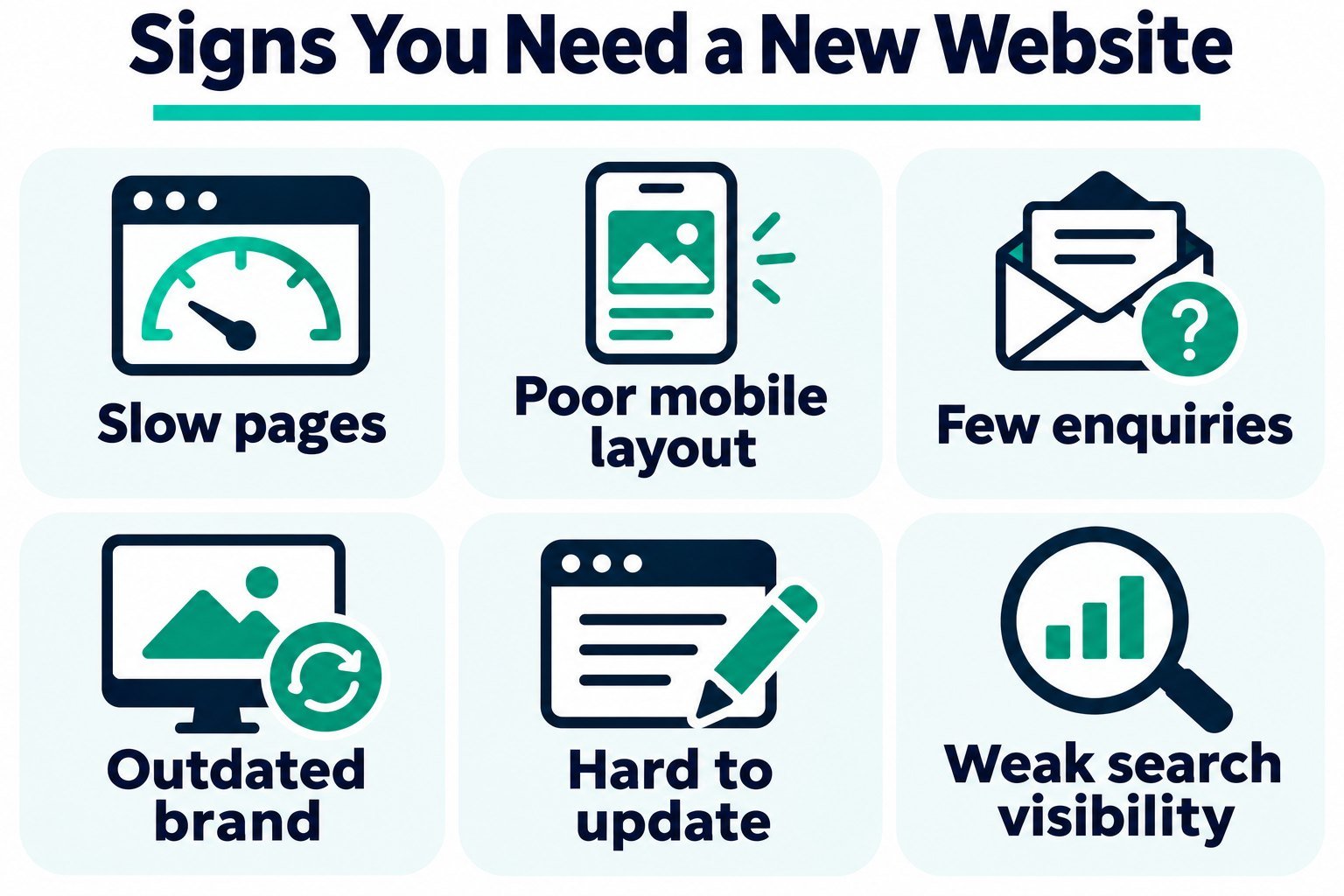
- Slow loading. If pages fail Core Web Vitals targets, such as Largest Contentful Paint of 2.5 seconds or less, visitors leave before reading.
- Poor mobile experience. Tiny text, overlapping elements or hard-to-tap buttons on phones.
- Few or no enquiries. Traffic arrives but forms and calls do not follow.
- Outdated design or brand. Your logo, services or messaging have changed, but the site has not.
- Hard to update. Simple text or image changes require a developer.
- Security and maintenance problems. Outdated WordPress versions, abandoned plugins or past hacks.
- Weak visibility in Google. Few impressions in Search Console and no rankings for service keywords.
- Not ready for AI search. No clear service pages, FAQs, structured data or direct answers that AI Overviews and assistants can use.
- Accessibility gaps. Low contrast, missing alt text or forms that do not work with a keyboard.
- No tracking. You cannot tell which pages or channels generate leads.
Redesign or refresh?
| Situation | Recommended |
|---|---|
| Good structure, outdated text and images | Content refresh |
| Slow but otherwise fine | Performance optimization |
| Low rankings, good design | SEO and content work |
| Old theme, broken plugins, poor mobile | Redesign |
| New brand, new services, no leads | Redesign |
How to check your website in 30 minutes
- Run your home and main service pages through PageSpeed Insights.
- Open every key page on your phone and try the contact form.
- In Google Search Console, review impressions, clicks and indexing issues.
- Compare your site against our small business website checklist.
Protecting your rankings during a redesign
A redesign should not erase years of search visibility. Keep URLs where possible, set up 301 redirects for any that change, carry over page titles and content that already rank, resubmit your sitemap and monitor Search Console after launch.
What a modern replacement should include
Plan around current priorities covered in web design trends 2026: answer-first service pages, speed, accessibility, consistent branding and built-in lead capture. If you sell online, compare platforms in Shopify vs WooCommerce.
How iTech Graphics helps
We handle both refreshes and full redesigns: web design, SEO, brand graphics and automation for forms and follow-ups. Choosing a partner? Read how to hire a web designer, then send us your website link for an honest recommendation.
How to measure whether your website is underperforming
Feelings about a website are unreliable; numbers are better. Before deciding on a redesign, collect a simple baseline from the free tools you already have.
| Metric | Where to find it | Warning sign |
|---|---|---|
| Core Web Vitals | PageSpeed Insights, Search Console | Pages marked “Poor” or “Needs improvement” |
| Search impressions | Search Console Performance report | Flat or falling over several months |
| Indexed pages | Search Console Pages report | Important pages not indexed |
| Engagement | Google Analytics | Very short visits on service pages |
| Enquiries | Form submissions, calls, emails | Traffic without leads |
If you do not have Google Analytics or Search Console connected, that alone is a reason to fix your setup before making bigger decisions.
Website refresh vs redesign: what each involves
A refresh usually includes
- Rewriting key pages with clearer messages, FAQs and calls to action.
- Replacing outdated photos and graphics with current brand visuals.
- Speed improvements: image compression, caching and removing unused plugins.
- SEO updates: titles, meta descriptions, internal links and structured data.
- Updating WordPress, theme and plugins and fixing security issues.
A redesign usually includes
- New site structure and page templates planned around your services.
- A new or updated theme or platform.
- Fresh visual design aligned with your current brand.
- Content migration with URL mapping and 301 redirects.
- New integrations such as booking, CRM or ecommerce.
Refreshes are faster and cheaper; redesigns solve structural problems that refreshes cannot.
Website redesign checklist: protect what already works
- Export a list of all current URLs and their search traffic from Search Console.
- Identify pages that bring visits, links or enquiries and keep their content and URLs where possible.
- Create a redirect map for every URL that changes.
- Keep page titles and headings that already rank, improving rather than replacing them.
- Test the new site on a staging copy before launch.
- After launch, resubmit your sitemap and monitor Search Console daily for two weeks.
Skipping these steps is the most common reason businesses lose search visibility after a redesign.
How long does a small business website redesign take?
Timelines depend on scope, content readiness and feedback speed. A focused redesign of a small service business website often takes several weeks; larger sites with ecommerce, integrations or many pages take longer. The biggest delays usually come from content: final text, photos and approvals. Preparing content early, and providing a clear brief, shortens the project significantly. Our design brief guide works well for website projects too.
Questions to answer before you rebuild
- What should the new website achieve in the next 12 months?
- Which services or products matter most commercially?
- Which pages currently bring traffic or enquiries?
- Do you need features such as online booking, payments or a store?
- Who will update content after launch, and how often?
Clear answers make it easier to compare proposals. Read how to hire a web designer for a step-by-step hiring process.
What a modern small business website should achieve
A successful replacement site loads quickly, works perfectly on phones, explains your services clearly, answers common questions, makes contact effortless and gives search engines and AI assistants accurate information about your business. Use our small business website checklist to define the requirements, and review web design trends 2026 to decide which improvements matter most for your customers. When you are ready, our web design team can recommend whether a refresh or a redesign fits your goals and budget.
Common objections to a new website, answered
“Our website still works.” It may load, but if it brings few enquiries, ranks poorly or embarrasses your sales team, it is not working for the business.
“We will lose our rankings.” Not if the redesign is planned with URL mapping, redirects and content that keeps what already ranks.
“It will take too much of our time.” A clear brief, early content preparation and one decision-maker keep your time commitment manageable.
“We cannot afford it right now.” Start with a focused refresh of the most important pages, then plan a full redesign when the numbers justify it.
Keeping your new website healthy
A new site is the start, not the end. Schedule monthly updates, backups and security checks, review Search Console and Analytics regularly, and add fresh content such as new projects, FAQs and guides. Small, steady improvements keep the site fast, relevant and visible, and delay the next major redesign by years. If you would like help planning that routine, send us a message.
Getting a second opinion
If you are unsure whether your website needs a refresh or a full rebuild, ask for an independent review before committing. A good review looks at speed, mobile usability, SEO health, content quality and lead tracking, then recommends the smallest change that will make a real difference. Sometimes a few targeted fixes are enough; sometimes the platform itself is the obstacle. Either way, you make the decision with facts rather than guesswork.
Summary
If your website is slow, hard to use on phones, rarely produces enquiries, no longer matches your brand or is invisible in search, it is time to act. Measure first with Search Console, Analytics and PageSpeed Insights, then decide between a focused refresh and a planned redesign. Protect existing rankings with redirects and careful content migration, and build the new site around clear service pages, fast performance and easy contact.
Frequently asked questions
How often should a small business redesign its website?
There is no fixed rule. Many businesses redesign every few years, but the better trigger is performance: speed, leads, search visibility and whether the site reflects your current services.
Will a new website hurt my Google rankings?
It can if URLs and content change without planning. Keeping URLs, adding 301 redirects and carrying over ranking content protects your visibility.
Can I update my website instead of rebuilding it?
Yes. If the structure and platform are sound, a content, speed and SEO refresh is often enough.
What is the first thing to fix on an old website?
Usually mobile usability, speed and clear calls to action, because they directly affect enquiries.
References
- web.dev: Web Vitals: Core Web Vitals metrics and thresholds.
- Google Search Central: SEO Starter Guide: search engine basics for site owners.
- Google Search Central: AI features and your website: how pages appear in AI Overviews and AI Mode.
- W3C: Web Content Accessibility Guidelines (WCAG): the international accessibility standard.
